
Give your agency access to GA4 and link it to Google Ads
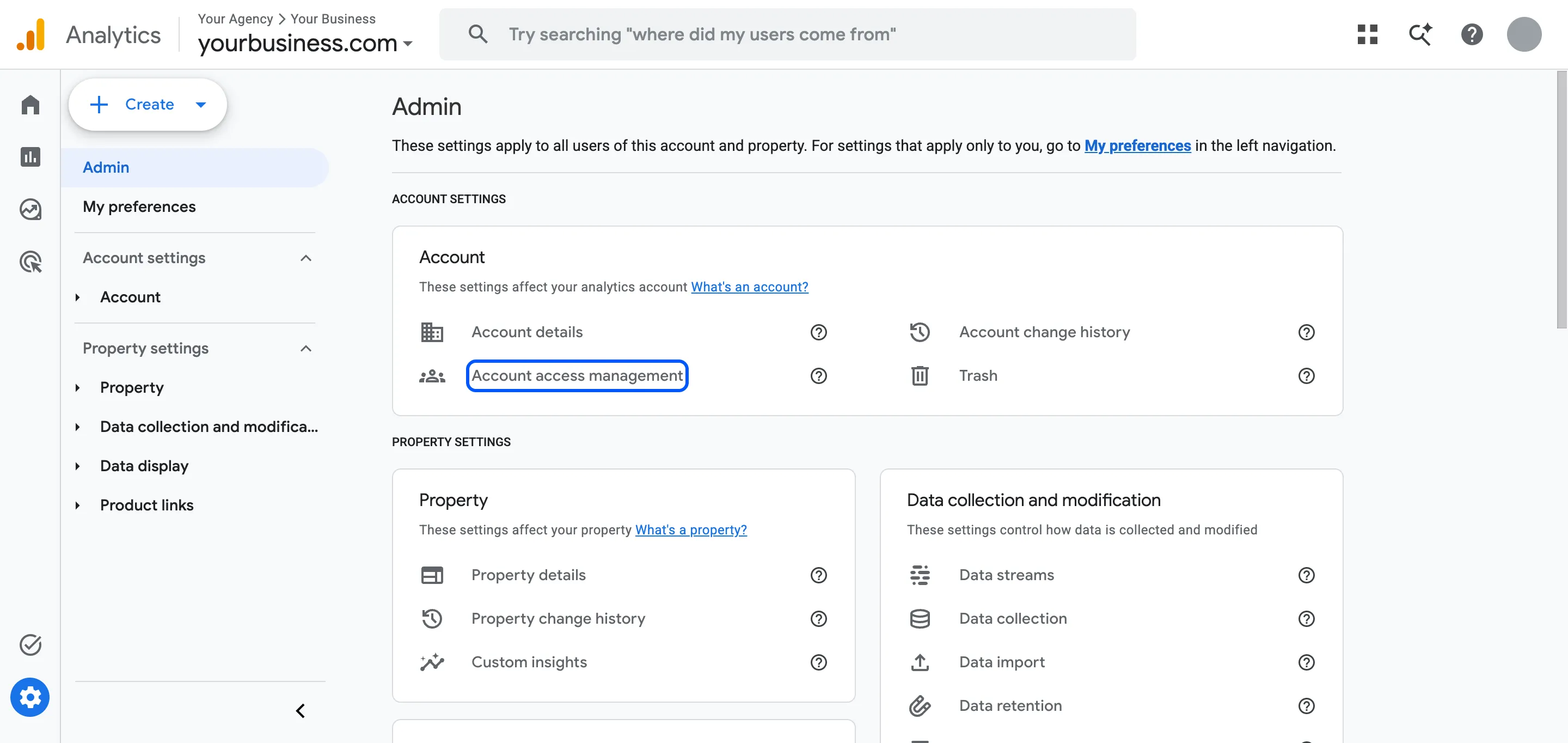
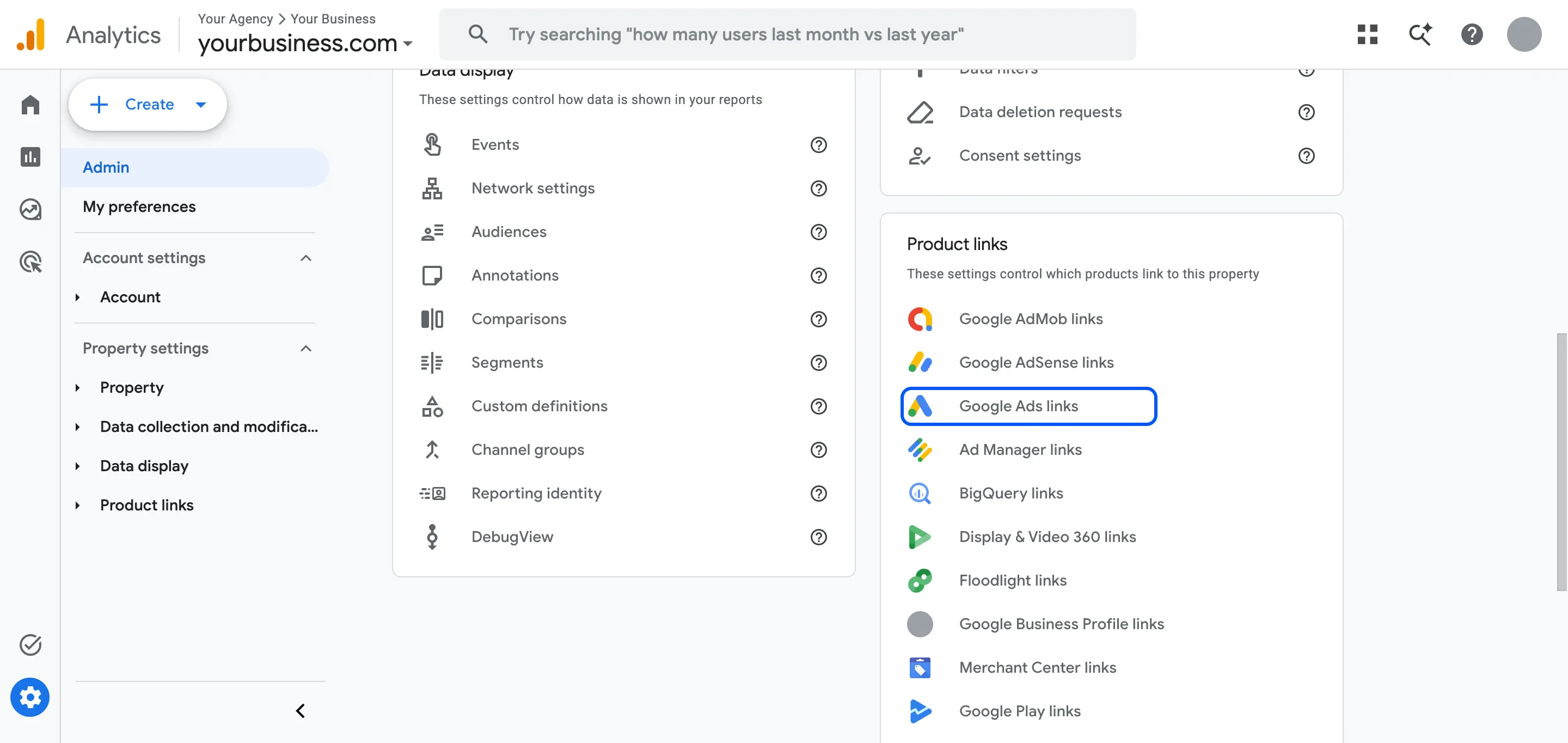
In GA4, open Admin › Account access management, add your agency's email addresses and give them the Editor role. Then link GA4 to Google Ads under Admin › Product links › Google Ads links. Keep the Administrator role for people in your business.
Steps
Add your agency
-
In GA4, click Admin. Under Account, open Account access management. If you only want the agency on one website and you see Property access management under Property, use that instead.
-
Click + and then Add users.
-
Enter the email addresses your agency sent you and tick Notify new users by email.
-
Choose the Editor role.
-
Click Add.
Link GA4 to Google Ads
-
In Admin, under Product links, click Google Ads links.
-
Click Link, then Choose Google Ads accounts. Select your account and click Confirm.
-
Click Next. Leave personalized advertising and auto-tagging on.
-
Click Next, then Submit.
Our notes
- Which role to give: Editor lets the agency fix tracking and set up key events without managing your users. Administrator can add and remove people, so keep it for your own team.
- Keep two Administrators of your own, so you don’t lose control if someone leaves.
- Your agency can link GA4 for you if they have Editor in GA4 and admin access in Google Ads. Doing it yourself takes two minutes and avoids a back-and-forth.
- Common mistake: a GA4 property created under a freelancer’s or agency’s own account. You can’t remove them from something they own. Create GA4 under your business’s Google Account, or ask them to move the property to your account.
- What happens next: we check which events count as key events and import the right ones into Google Ads.
Part of: Starting Google Ads with us: your checklist · Tracking and website work with us: your checklist
Hiring help with your ads? We run Google and Meta Ads for businesses in the UK, EU and US. Book a free call
FAQ
Questions
Should I add the agency to the account or the property?
To the property, if you only want them on one website. People added at account level get the same role on every property in that account.
What's the difference between Editor and Marketer?
Marketer can create audiences and key events and import them into Google Ads. Editor can also change the property settings. For an agency that also fixes tracking, Editor is the practical choice.