
Give your agency access to Google Ads
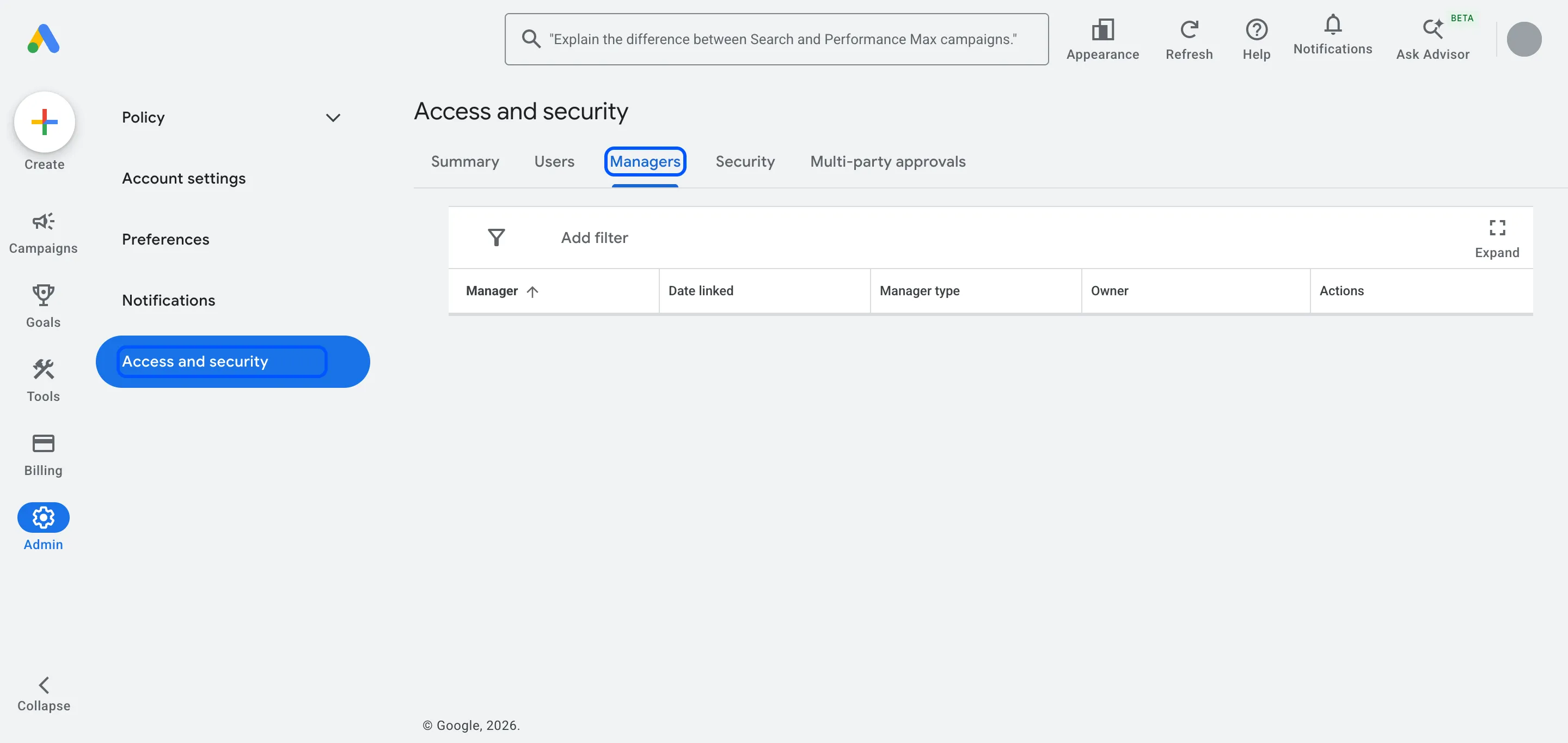
Your agency sends a link request from its manager account (MCC). You accept it in Google Ads under Admin › Access and security › Managers. Your account, its data and its history stay yours, and you can remove the agency's access whenever you want.
Steps
-
Send your agency your 10-digit customer ID. They send a link request from their manager account, and you get an email from Google.
-
Sign in to Google Ads and open Admin › Access and security.
-
Open the Managers tab. The agency’s request appears under “Link request”.
-
In the Actions column, choose Accept.
You can also click Accept request in Google’s email. Either way, tell your agency once it’s done so they can start work.
Our notes
-
Which access level to give: a manager link gives the agency’s admins full campaign access. That’s what an agency needs to run your ads. Leave the Owner column on “No”: an owner can also manage your users and product links, and an agency running campaigns doesn’t need that.
-
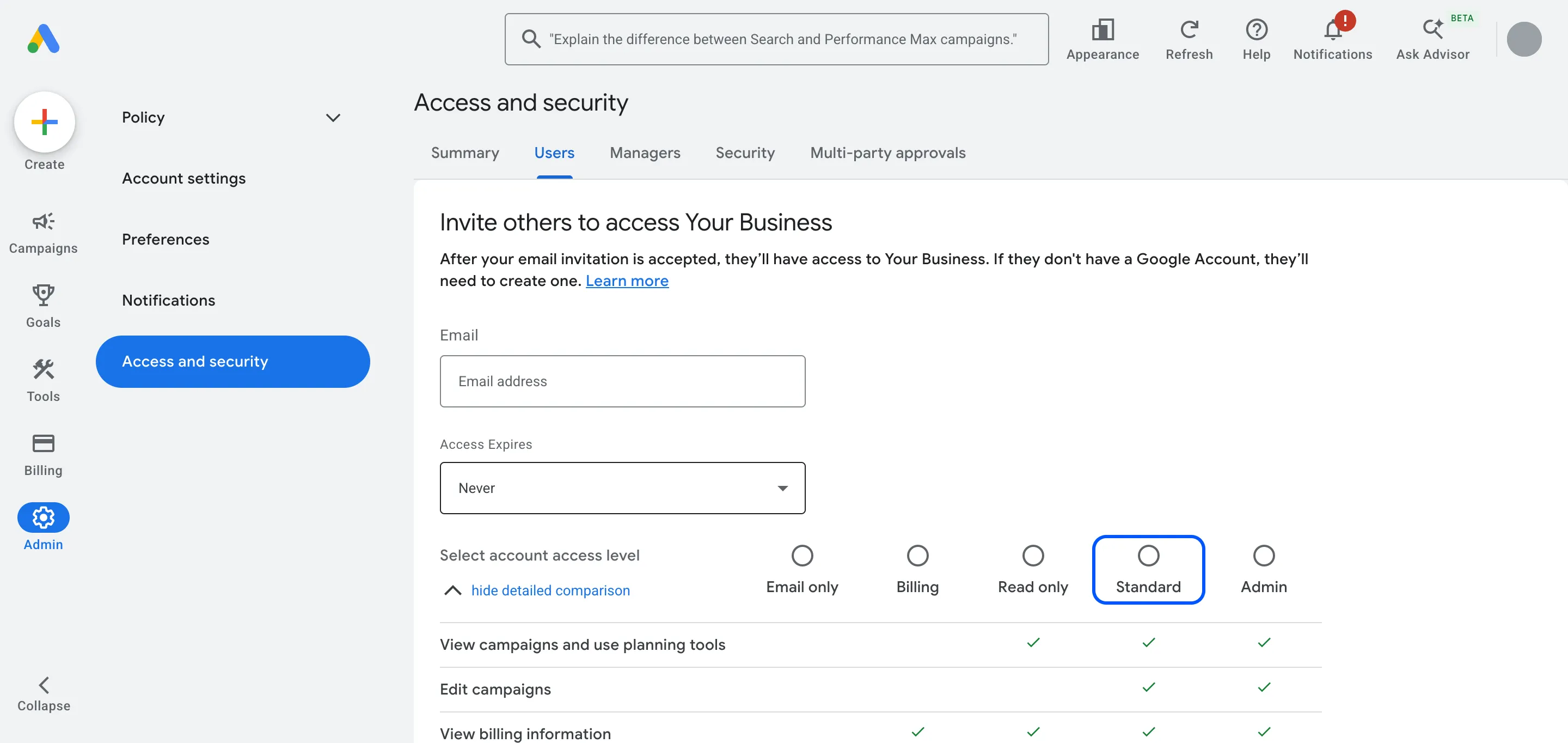
If you’d rather add a person: in Access and security, open the Users tab, click Add user, enter their email, choose Standard and click Send invitation. Standard can edit campaigns and billing but can’t manage users. Give Admin only to people inside your business.
-
Keep two admins of your own. Google recommends a second admin, so you don’t lose access if one person leaves.
-
Common mistake: creating a new account inside the agency’s manager account. Google makes the manager that creates an account its owner. Create the account yourself, in your own name, then link it.
-
What happens next: we check your conversion tracking and billing, then share our plan before we change anything.
Hiring help with your ads? We run Google and Meta Ads for businesses in the UK, EU and US. Book a free call
FAQ
Questions
Does the agency own my account after I accept the link?
No. A linked manager can manage your campaigns, but your account keeps its data and history. Ownership is a separate setting in the Owner column, and it stays off unless you turn it on.
Should I link a manager account or add the agency as a user?
Link the manager account. It gives every specialist at the agency access through one link, and you remove all of them in one step when you unlink. Add individual users only for people outside an agency.
Can my account be linked to two agencies at once?
Yes. Up to five manager accounts can manage one Google Ads account directly. When you change agency, unlink the old one so only the people you work with today have access.