
Billing
Set up Google Ads billing in your name
Add a payment method in Google Ads under Billing › Settings › Payment methods, with a payments profile in your business's legal name. Google charges you directly for ad spend. Your agency's fee is a separate invoice.
Steps
-
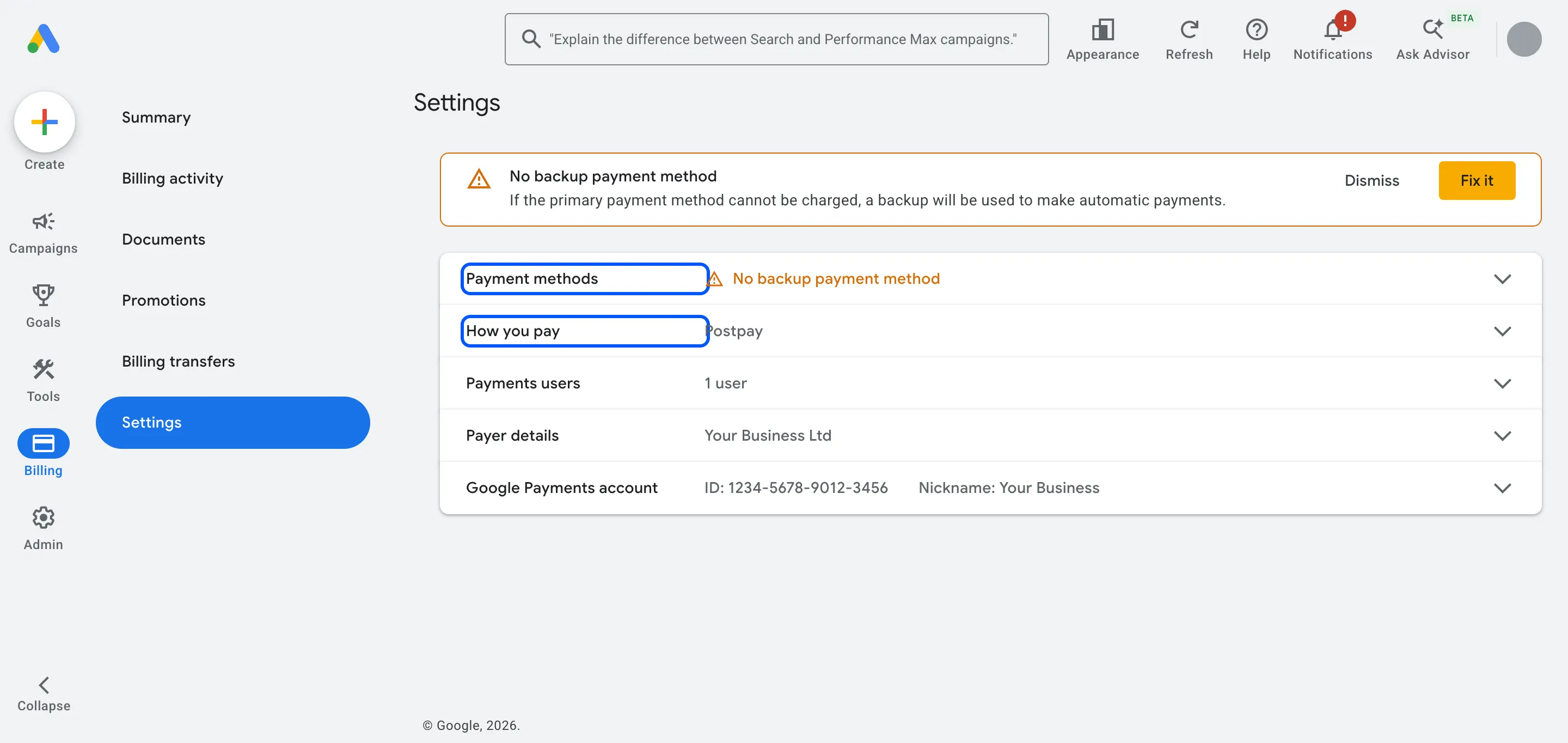
In Google Ads, open Billing › Settings.
-
If you’re setting up a new account, check the payments profile. Choose Organization as the profile type and enter your business’s legal name, address and VAT number.
-
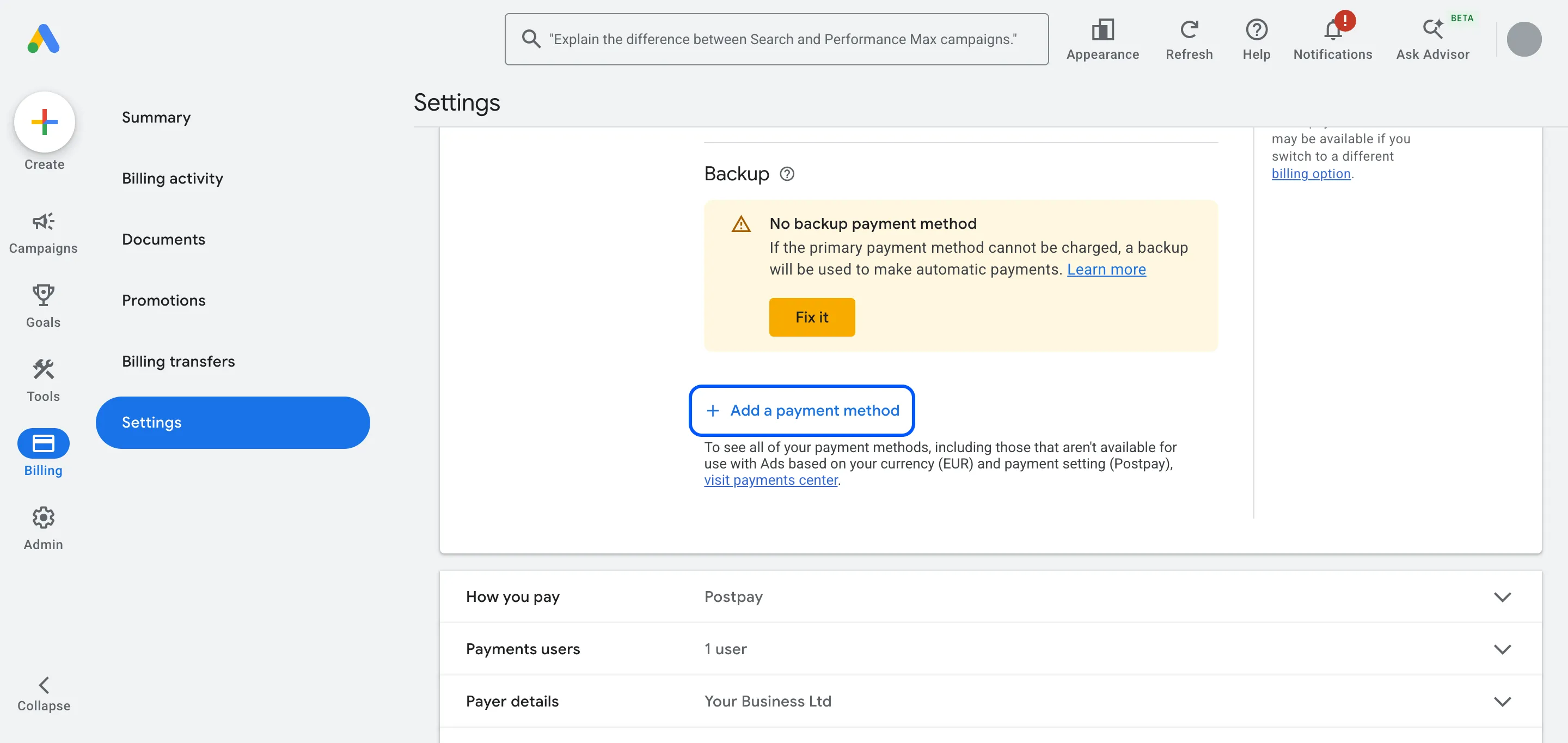
Expand Payment methods and click Add a payment method. Enter your company card or bank details and click Save.
-
Under How you pay, check that the payment setting is the one you want: postpay or prepay.
-
Add a second card as a backup, so a declined payment doesn’t stop your ads.
EU cards may ask you to confirm with your bank app or a one-time code. Google may place a small temporary hold on the card, which drops off within about a week.
Our notes
- Who should pay: you. The payments profile names the person or business legally responsible for the costs, and the invoices go to that profile. Keep it in your business’s name, with your card.
- Agency fee vs ad spend: your ad spend goes straight to Google. Our management fee is a separate invoice from us. You always see exactly what Google charged.
- Who can change billing: Admin and Billing users. If you add your accountant, give them Billing access: they can see invoices and payment methods, but not your campaigns.
- Monthly invoicing is a credit line Google offers established, higher-spending businesses. You apply through Google. Start with a card.
- What happens next: once billing works, we link GA4 so Google Ads can use your website data.
Hiring help with your ads? We run Google and Meta Ads for businesses in the UK, EU and US. Book a free call
FAQ
Questions
Should the agency pay Google and invoice me?
We don't recommend it. If the agency pays, the payments profile and the invoices sit with them, and you lose a clean record of your spend. Pay Google directly and pay the agency only for its work.
What's the difference between postpay and prepay?
With postpay (formerly automatic payments), Google charges your card at the start of each month or when you reach your payment threshold. With prepay (formerly manual payments), you add money first and your ads stop when it runs out. Which settings you can choose depends on your country and currency.