
Billing
Set up Meta ads billing in your name
Add a payment method to your own ad account in Billing & payments › Payment methods. Meta charges you directly when you reach your payment threshold and on your monthly bill date. Your agency's fee is a separate invoice.
Steps
-
In Meta Business Suite, open Settings › Billing & payments.
-
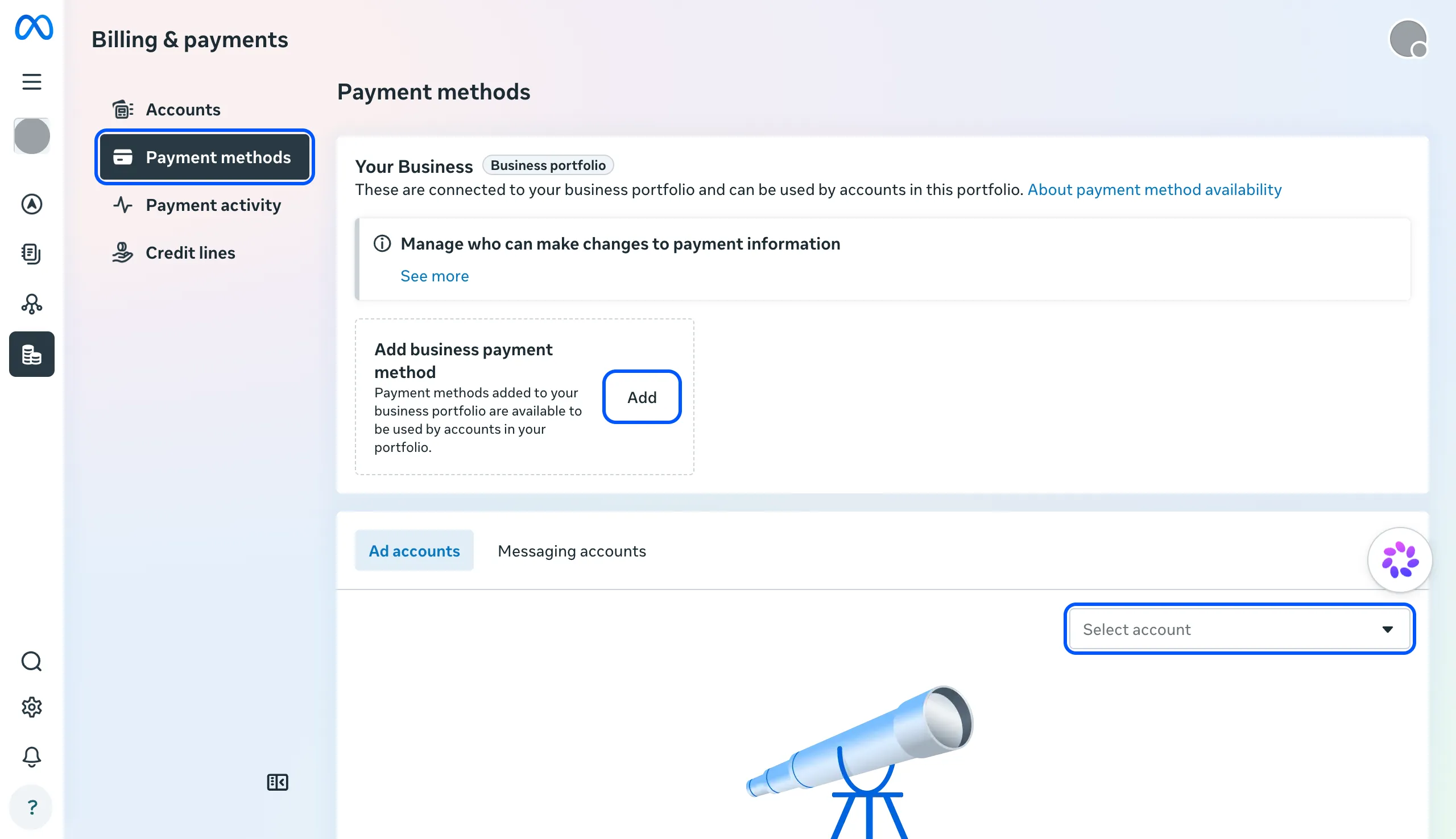
Click Payment methods.
-
To add a card that every ad account in your portfolio can use, click Add next to “Add business payment method”. To add one to a single ad account, choose it under Select account first.
-
Choose the type, click Next and follow the prompts.
Add a backup card in the same place, so a declined payment doesn’t pause your ads.
Our notes
- Who should pay: you. Meta saves the payment method to the ad account, so keep the account and the card in your business’s name. You then see every charge in Billing & payments.
- Agency fee vs ad spend: your ad spend goes straight to Meta. Our management fee is a separate invoice from us.
- Set a sensible threshold maximum. A lower threshold means more frequent, smaller charges, which some banks handle better.
- Common mistake: paying with the agency’s card “to get started”. The charges, receipts and payment history then belong to someone else.
- What happens next: we set budgets as agreed in our plan, and you approve any change to them.
Hiring help with your ads? We run Google and Meta Ads for businesses in the UK, EU and US. Book a free call
FAQ
Questions
What's a payment threshold?
The amount of spend at which Meta charges your card. It rises after successful payments. You can set a maximum in Payment settings, under When you'll pay.
Can I prepay instead of using a card?
Some payment methods use available funds: you add money first and Meta deducts from it up to once a day. The first payment method you add decides which setting the account uses.