

PPC Agency, Freelancer or In-House? A UK Cost Guide
PPC company, freelance PPC consultant or an in-house hire? Compare true UK costs, cover and skills, with a decision tree and an ownership checklist.
OpenAI now lets owners claim their business in ChatGPT. Here's how to claim or add yours in Business Hub, step by step, from our own setup.
Your customers already ask ChatGPT who to call for a leaking roof or which accountant handles small companies. Until now you had no say in what it answered about you. This guide shows how to claim your business in ChatGPT, what each screen asks, and what to expect afterwards, using the listing we set up for Octomize the day after launch.
OpenAI introduced Businesses in ChatGPT in beta on 10 November 2026. It gives a business a profile it controls inside ChatGPT, similar in spirit to a Google Business Profile. OpenAI puts ChatGPT’s audience at 1.2 billion people a week (Source: OpenAI, Nov 2026).
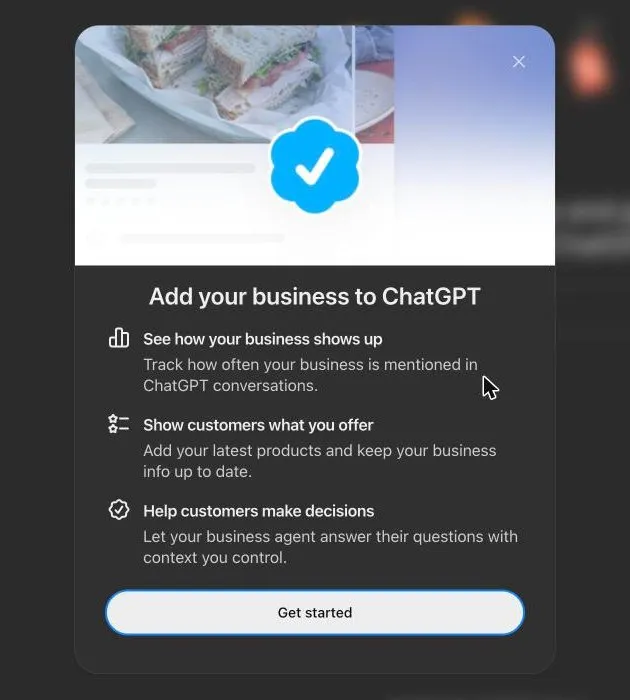
Everything happens in Business Hub, a section of ChatGPT. According to OpenAI’s setup guide, a claimed and verified business can:
You can claim a business if you own it or are authorized to represent it. You don’t need an ads account or a ChatGPT Enterprise plan (OpenAI Help). We used a free ChatGPT account and paid nothing.
There are two limits worth knowing before you start:
| Your business | What you can do today |
|---|---|
| Local store or restaurant in the US | Claim an existing listing only |
| Local store or restaurant outside the US | Not yet: only existing US listings can be claimed |
| Online business or online service | Claim an existing listing, or add a new one |
| US ecommerce or online service with a website | Also eligible for a business agent |
Source: OpenAI Help, “Setting up your business on ChatGPT”, Nov 2026.
These are the screens we went through for Octomize. Ours is an online service, so we added a new listing. If your business already exists in ChatGPT, you claim it instead and skip step 3.
Open Business Hub. Sign in to ChatGPT and open Business Hub from the sidebar (we reached it at chatgpt.com/business-hub). Search for your business by name.
Pick your listing. Select the one that matches you and confirm the ChatGPT account that will manage it. Use the account you’ll keep: invitations for teammates and agencies come from it later.
No match? Add it. We searched “Octomize Agency”, got “No matching business” and a Create option. ChatGPT then shows what the listing will offer:
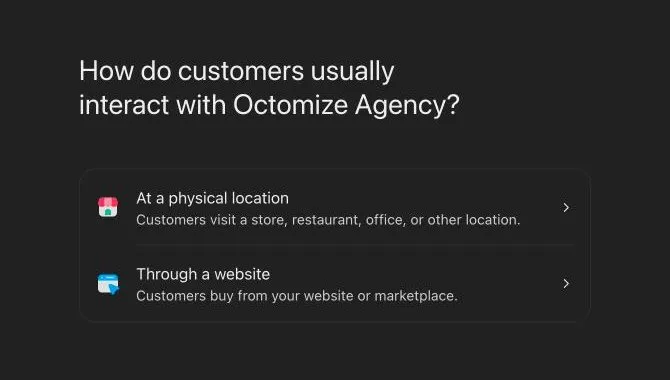
Say how customers reach you. “At a physical location” or “Through a website”. We picked the website, because clients never visit an office.
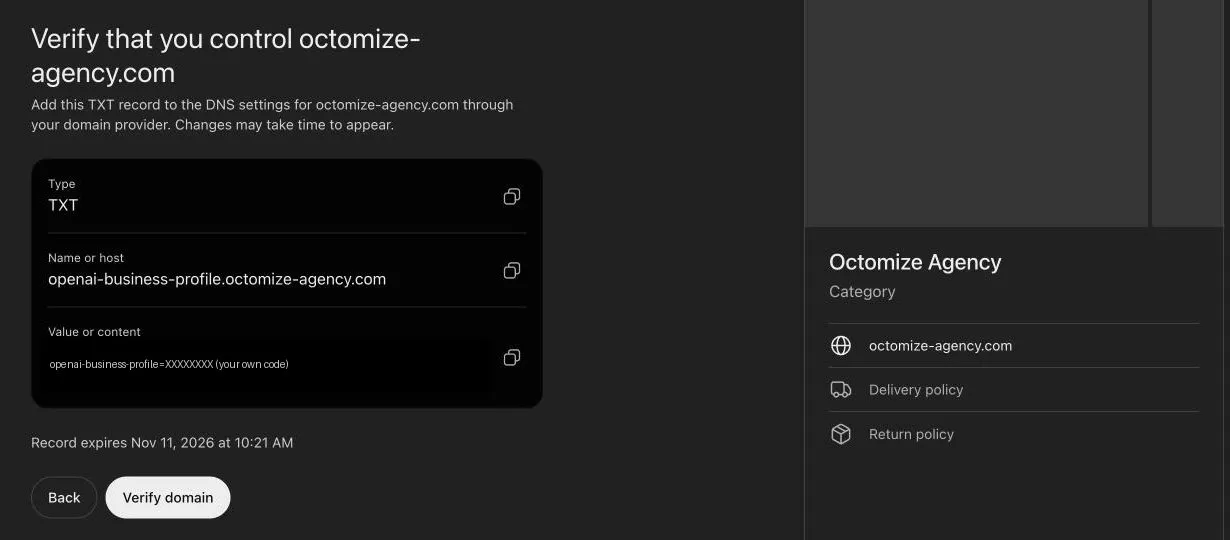
Verify you control the business. The options are a code by text or call to the business phone, a code to the business email, a DNS record on your website domain, or a Shopify login. We used the domain: ChatGPT shows a TXT record to add in your DNS settings. We added it in Cloudflare and it worked within a minute. The record expires after about 30 minutes, so have DNS access open before you start, or ask whoever manages your domain to stand by.
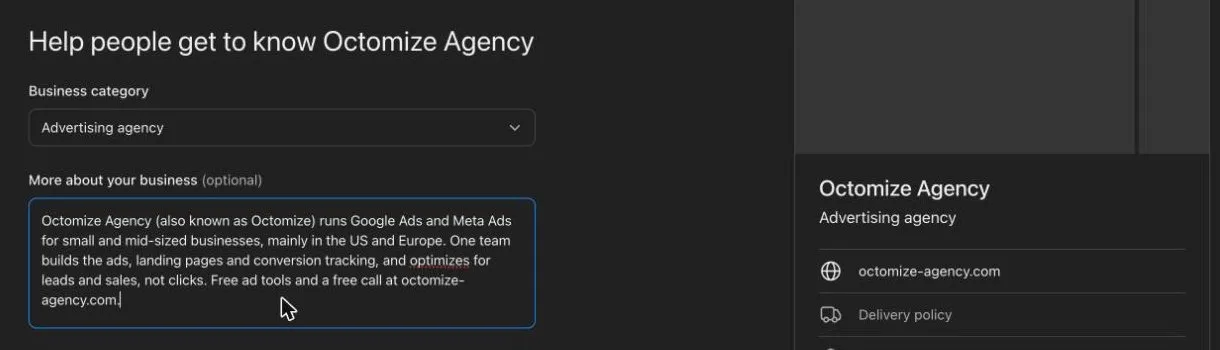
Choose a category and describe the business. ChatGPT suggests categories from your site; we took “Advertising agency”. The description box holds 300 characters. Write what you do, for whom and where, in plain facts.
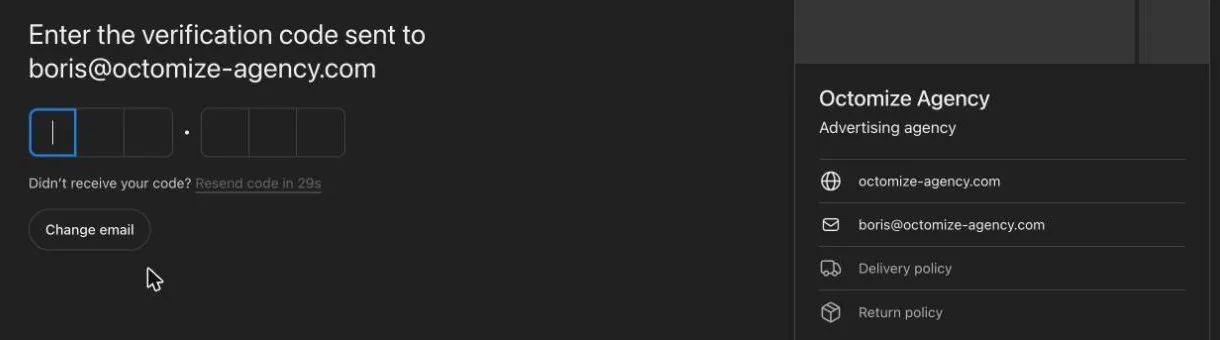
Add contact details. Phone and email are optional and appear on the listing. The email you enter gets a 6-digit code, so use an inbox you can open right away.
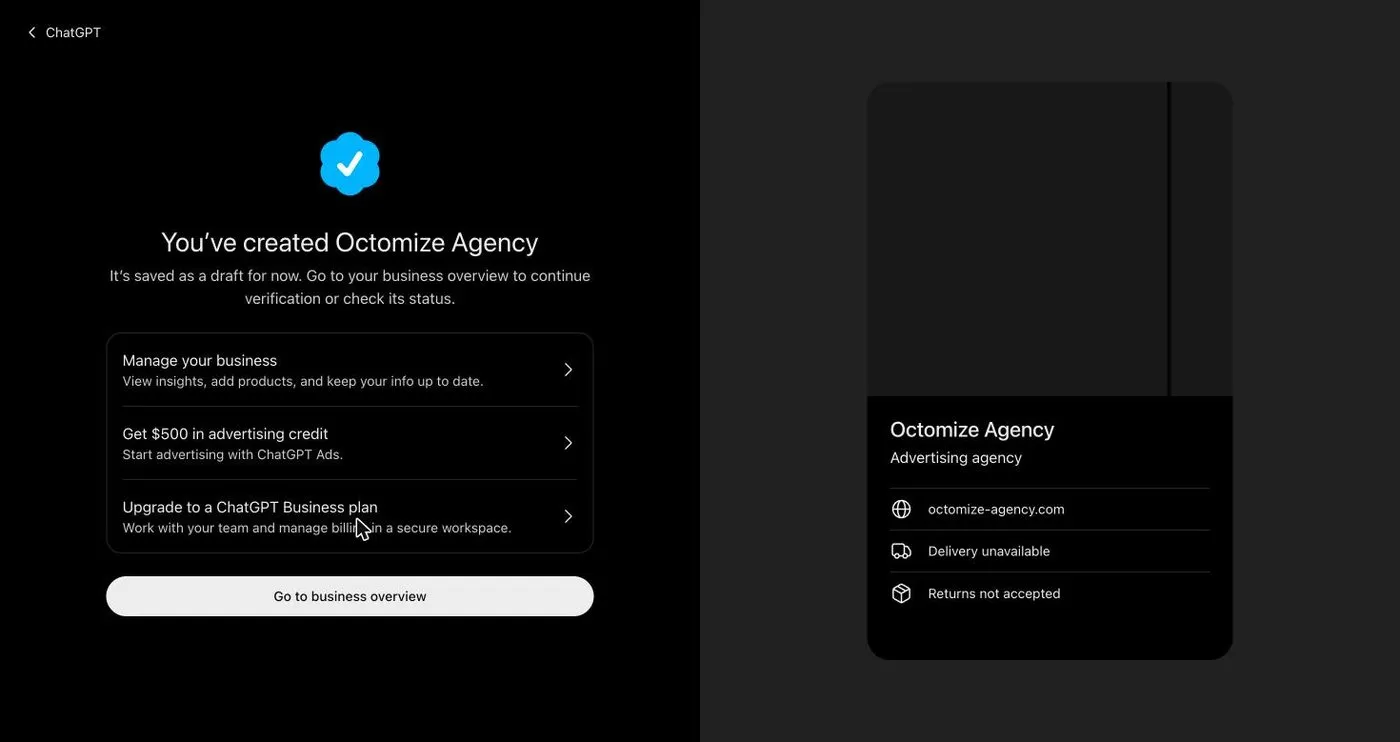
Answer delivery and returns. A service business picks “We don’t offer delivery” and “Returns not accepted”. Ecommerce stores should match their real policies, because ChatGPT repeats them to shoppers.
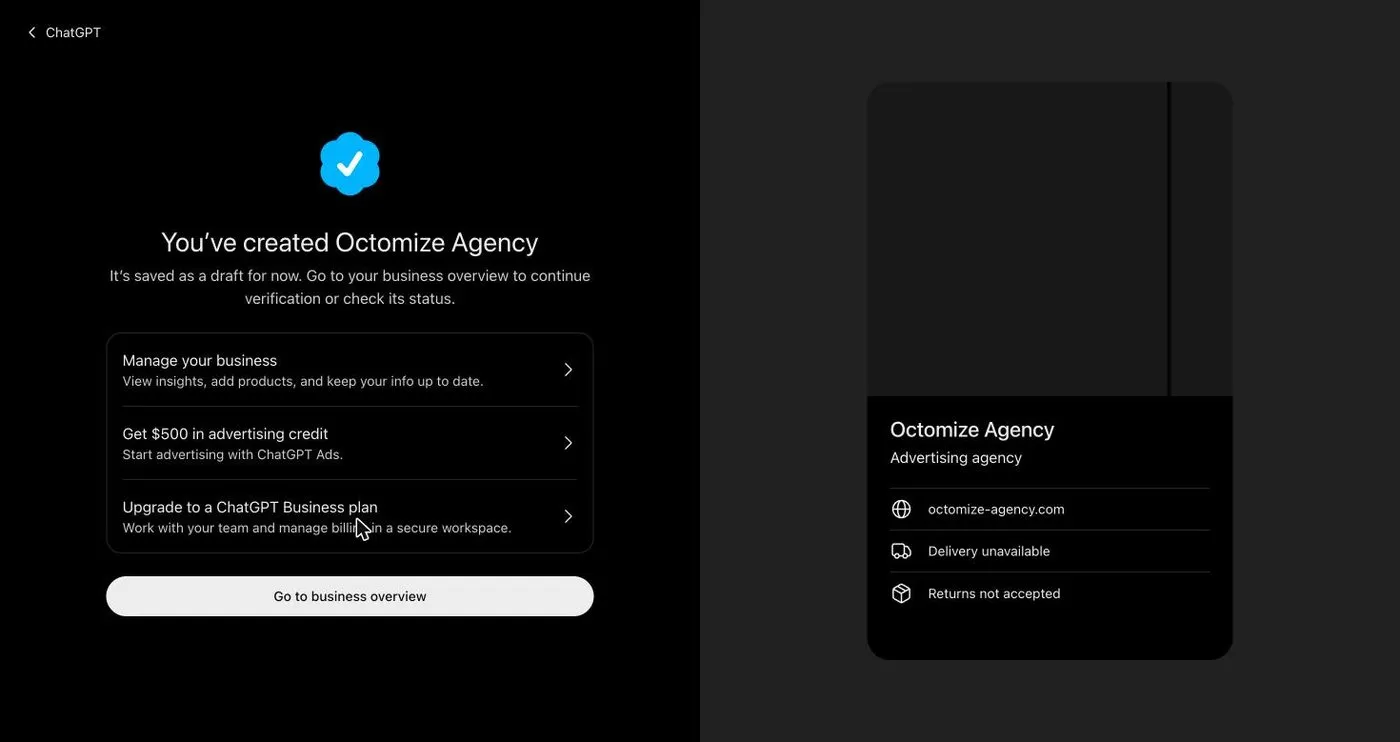
Submit. The listing is created as a draft.
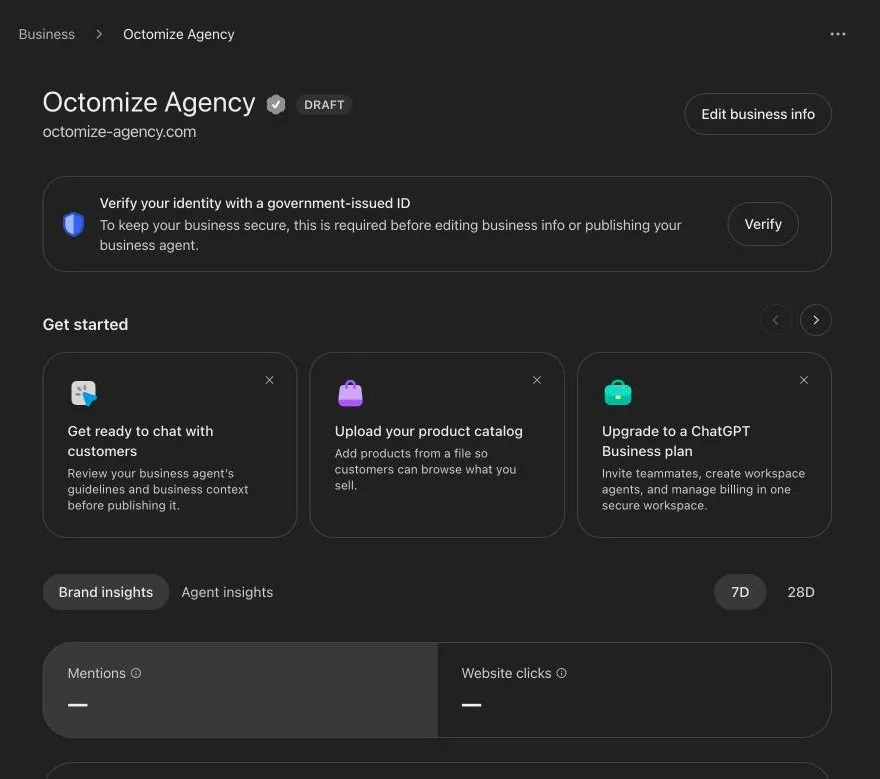
Verify your identity with Persona. Your business overview shows a banner asking for a government-issued ID. You may also need business registration details and proof you can represent the business (OpenAI Help). Until it’s approved you can’t publish changes, see insights or create an agent.
Steps 1 to 9 took us under 20 minutes. OpenAI then reviews the claim and the ID check and emails its decision. When you added a new profile, approval publishes it automatically, so make sure the details are right before you submit. At the time of writing our own listing is waiting for that review.
OpenAI is direct about this: claiming “doesn’t guarantee increased visibility or give you direct control over ChatGPT’s independent recommendations”, and advertising doesn’t influence those answers either (OpenAI Help).
So treat the listing as a way to stop ChatGPT from getting your facts wrong, not as a new ad channel. ChatGPT may still use other sources about you, and approved changes can take time to show up in answers. Getting recommended still depends on what the rest of the web says about you, which is what generative engine optimization covers.
Our position: claim it now if you’re eligible. It costs nothing, takes under an hour, and makes sure you, not someone else, control what the listing says. Don’t expect leads from it in month one, and don’t spend money on it until the insights show traffic.
After approval, Business Hub shows three numbers for the past 28 days (OpenAI Help):
A blank number doesn’t mean zero. It can mean the data hasn’t reached the reporting threshold yet.
A worked example, with hypothetical numbers: say the insights show 40 website clicks in 28 days and your site turns 5% of visitors into enquiries. That’s about 2 leads a month from ChatGPT. Whether those leads show up in your own reports depends on your conversion tracking: if your forms and calls aren’t tracked by source, ChatGPT traffic disappears into “direct” and you’ll never know it worked.
Copy this and have everything open before you click Create:
If you’d like a second pair of eyes on how AI search and your ads fit together for a lead generation business, book a free call and we’ll look at your setup with you.
You don’t need an ads account or a paid ChatGPT plan to claim a business (OpenAI Help). We set up ours from a free ChatGPT account and paid nothing.
The phone, email and domain checks take minutes. OpenAI’s review of the claim and of the Persona ID check takes longer, and its guide only says “review time varies”. You get the decision by email.
No. OpenAI says claiming lets you manage your information but doesn’t guarantee more visibility, and ads don’t influence ChatGPT’s independent answers.
Yes. The admin who claimed the business can add teammates and grant an agency access in Business Hub, each with their own ChatGPT account (OpenAI Help). Claim it yourself first, then invite the agency.
Open the profile, select the ••• menu and choose Dispute ownership. You’ll verify with Persona that you’re authorized to represent the business.
Related articles
PPC company, freelance PPC consultant or an in-house hire? Compare true UK costs, cover and skills, with a decision tree and an ownership checklist.
Generative engine optimization (GEO) explained: how to get your brand cited in ChatGPT, Perplexity and Google AI Mode, and how to measure it in 2026.
What GDPR and the ePrivacy rules mean for Google Ads and Meta tracking in the EU and UK: what needs consent, what Google requires, and server-side limits.
We use cookies for analytics and advertising. You can opt out of the sale or sharing of your data at any time.Cookie Policy
Your browser's Global Privacy Control signal is on, so we don't share your data for advertising.